v0 vs Bolt.new: Which AI App Builder Is Better?
Start With What You Are Building, Not What Is Popular
Most developers comparing v0 and Bolt.new start with the wrong question. They ask which tool is better overall.
The useful question is narrower:
Which tool ships **this specific project** faster, with acceptable code quality, at a cost that makes sense for this stage?
A landing page for a SaaS product has a different best answer than a full-stack internal tool. A Next.js app has a different best answer than a Vue dashboard. A solo prototype has a different best answer than a team-shipped product.
This guide covers:
- What v0 and Bolt.new actually do.
- How their workflows differ in practice.
- When v0 is the faster path.
- When Bolt.new is the faster path.
- How pricing compares at each stage.
- What to test before committing to either tool.
What v0 And Bolt.new Actually Do
Both tools generate working web applications from natural language prompts. The difference is what kind of application they generate and where that application lives.
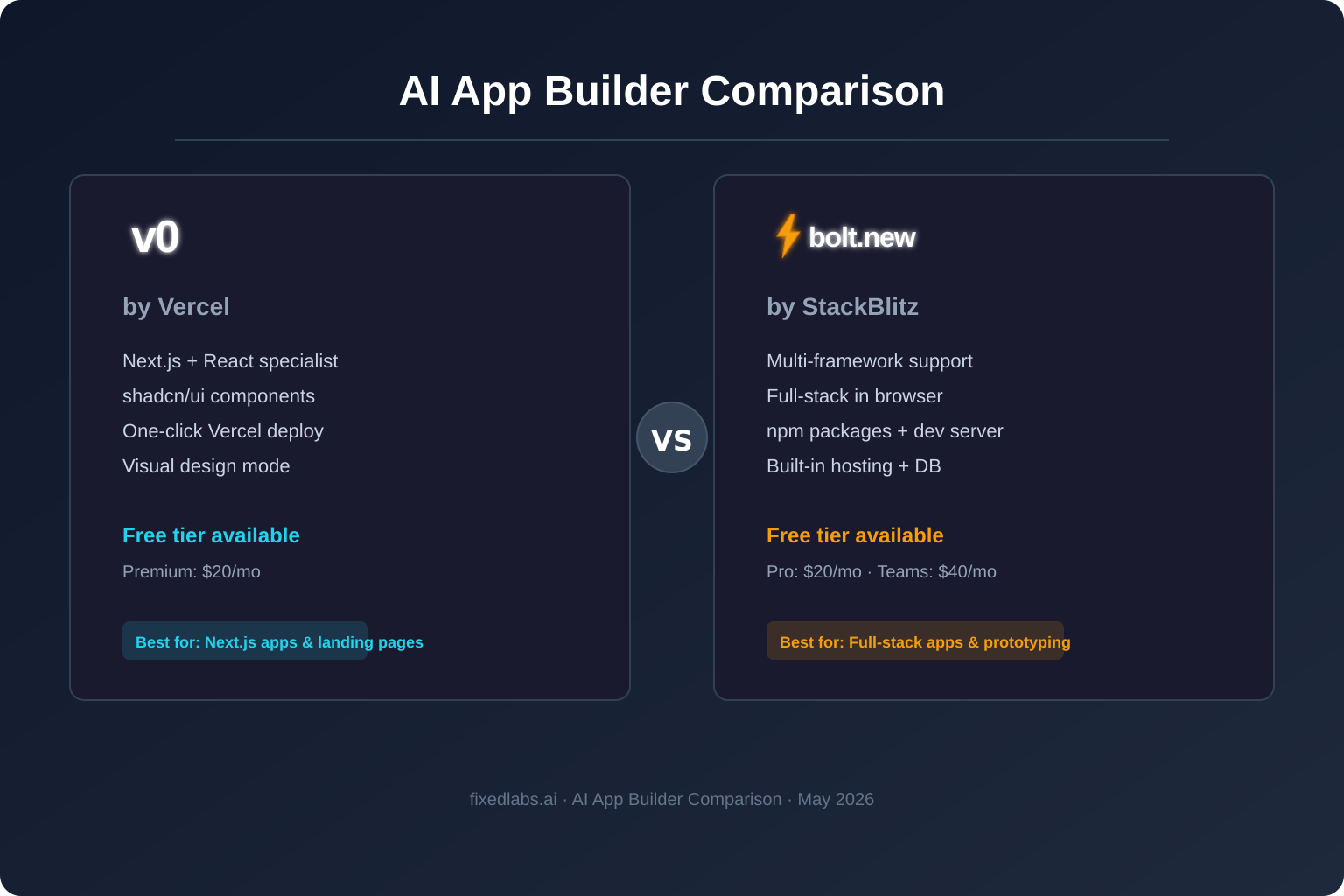
v0 by Vercel generates Next.js and React applications using shadcn/ui components and Tailwind CSS. It is tightly integrated with the Vercel platform. You describe what you want, v0 generates the code, and you can deploy it to Vercel in one click. v0 also offers a design mode for visual editing, template library, and GitHub repo sync.
As of May 2026, v0 offers four model tiers: v0 Mini, v0 Pro, v0 Max, and v0 Max Fast. It supports iOS app access and student plans.
Bolt.new by StackBlitz is a full-stack development environment that runs entirely in the browser. It supports multiple frameworks including React, Vue, Svelte, Astro, Remix, and Next.js. It includes a built-in terminal, npm package installation, database provisioning, and web hosting.
Bolt.new positions itself as an all-in-one IDE replacement for rapid prototyping. You can build, run, and deploy without leaving the browser.
| Feature | v0 by Vercel | Bolt.new |
|---|---|---|
| Primary framework | Next.js / React | Multi-framework (React, Vue, Svelte, Astro, Remix) |
| Deployment | One-click to Vercel | Built-in hosting or export |
| Code export | GitHub sync | ZIP download or GitHub |
| Visual editor | Design mode | Live preview |
| Database | External needed | Built-in databases |
| npm support | Limited | Full npm package install |
| AI models | v0 Mini, Pro, Max, Max Fast | Multiple models |
| Mobile access | iOS app | Browser-based |
The Framework Question Matters More Than Most Comparisons Admit
The single biggest differentiator between v0 and Bolt.new is framework support.
v0 is opinionated. It generates Next.js code with shadcn/ui and Tailwind CSS. This is a strength when your project fits that stack. The generated code follows consistent patterns, uses well-maintained component libraries, and deploys cleanly to Vercel.
Bolt.new is flexible. It supports React, Vue, Svelte, Astro, Remix, and other frameworks. This is a strength when your project does not fit the Next.js mold or when you are exploring options.
| Project type | Better first choice | Why |
|---|---|---|
| Next.js SaaS landing page | v0 | Opinionated output, instant Vercel deploy |
| React dashboard with custom backend | Bolt.new | Full-stack environment, npm support |
| Vue or Svelte application | Bolt.new | v0 does not support these frameworks |
| Portfolio or marketing site | v0 | Templates and design mode speed this up |
| Internal tool with database | Bolt.new | Built-in databases and hosting |
| Component library or design system | v0 | shadcn/ui integration is native |
| Multi-page app with API routes | Either | Both handle this; Bolt has more flexibility |
| Quick prototype to validate idea | Bolt.new | Lower friction for non-Next.js stacks |
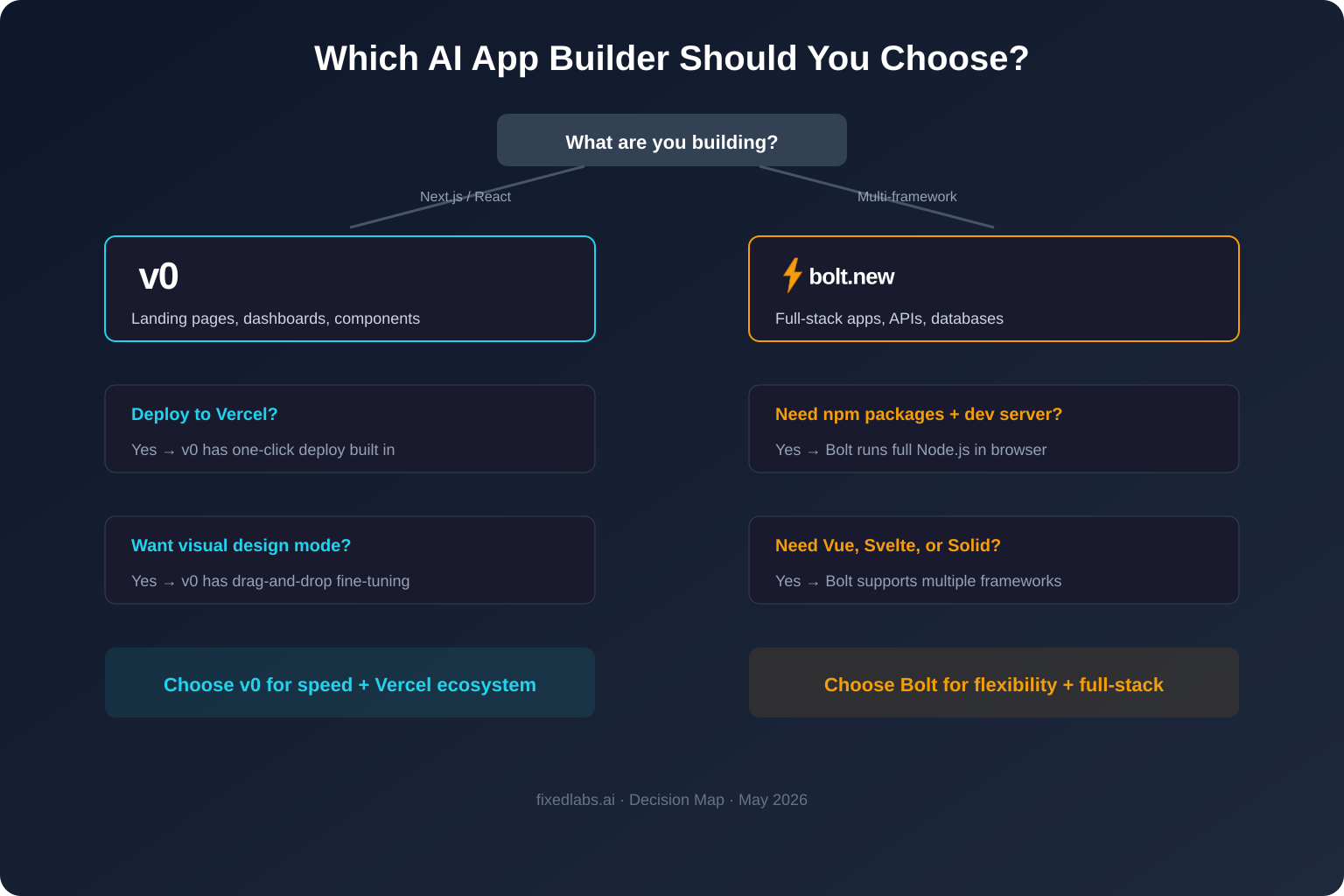
If you know you are building with Next.js and deploying to Vercel, v0 removes friction. If you are unsure about the stack or need something outside the React ecosystem, Bolt.new gives you room to explore.
Pricing: Where The Real Cost Difference Lives
Pricing is where most comparisons get lazy. They list plan prices side by side and stop there. The real question is what you get at each tier and how that maps to actual usage.
| Tier | v0 by Vercel | Bolt.new |
|---|---|---|
| Free | $0/mo (limited generations) | $0/mo (300K tokens/day, 1M tokens/month) |
| Entry paid | $30/user/mo (Team) | $25/mo (Pro, 10M tokens/month) |
| Mid-tier | $100/user/mo (Business) | $30/user/mo (Teams) |
| Enterprise | Custom | Custom |
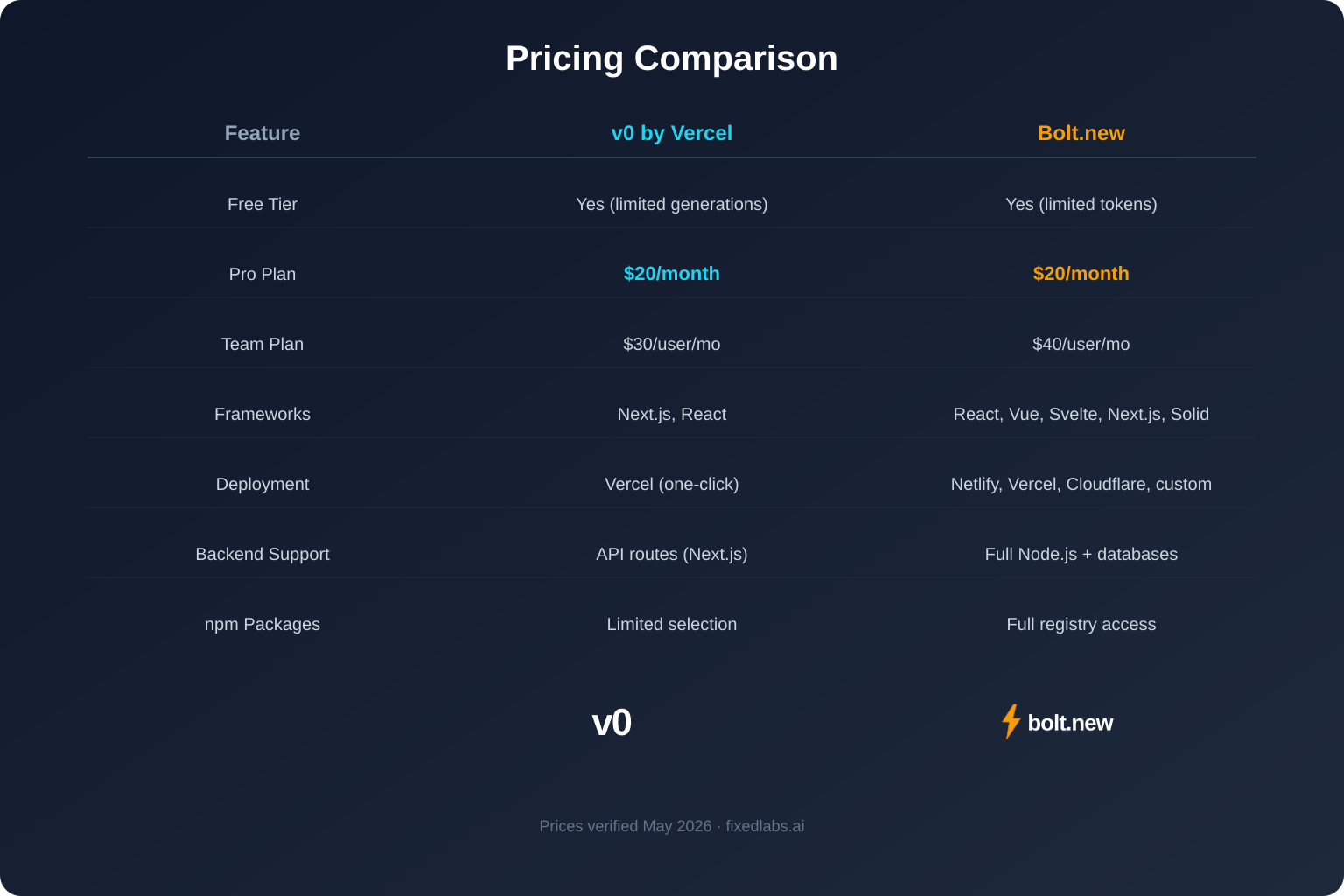
Free tier comparison: Bolt.new is significantly more generous. 300K tokens per day and 1M tokens per month gives a solo developer meaningful room to experiment. v0's free tier is more limited and better suited for quick tests than sustained prototyping.
Solo developer comparison: Bolt.new Pro at $25/mo undercuts v0 Team at $30/user/mo. Bolt Pro includes 10M tokens per month, no branding on deployed sites, custom domains, SEO boosting, unused token rollover, and image editing with AI. v0 Team is designed for team collaboration rather than individual use.
Team comparison: Bolt.new Teams at $30/user/mo adds centralized billing, team access management, granular admin controls, org sharing, private NPM registries, and design system knowledge. v0 Business at $100/user/mo targets larger organizations with advanced needs. For most small teams, Bolt.new Teams delivers more value per dollar.
The hidden cost: Token consumption varies by project complexity. A simple landing page may use 50K tokens. A full-stack app with API routes, database schema, and authentication may use 500K+ tokens. Track your actual token usage during the free tier before committing to a paid plan.
Workflow Speed: Where Each Tool Wins
Shipping speed depends on the project type and your familiarity with the target stack.
When v0 Ships Faster
v0 is faster when:
- You are building a Next.js app. The generated code follows established patterns and requires minimal cleanup.
- You want instant deployment. One-click Vercel deploy means zero DevOps configuration.
- You need polished UI quickly. shadcn/ui components are production-quality out of the box.
- You are iterating on design. Design mode lets you adjust spacing, colors, and layout visually.
- You have a Vercel-hosted project already. Integration is seamless.
When Bolt.new Ships Faster
Bolt.new is faster when:
- You need a full-stack environment. Built-in terminal, npm install, and databases eliminate setup time.
- You are not using Next.js. Vue, Svelte, Astro, and other frameworks are supported natively.
- You want to run and test in the browser. No local environment needed.
- You are prototyping with dependencies. npm package support means you can use any library.
- You need built-in hosting and databases. Skip external service setup for early-stage projects.
The Practical Test
Before choosing, run this test:
- Pick a representative feature from your project.
- Prompt both tools with the same description.
- Measure time to working prototype.
- Assess code quality: can you maintain this code for six months?
- Check deployment: how many steps from generated code to live URL?
The tool that wins this test for your specific project is the right choice. General comparisons cannot answer this.
Code Quality And Maintainability
Generated code is only useful if someone can maintain it later.
v0 produces consistent Next.js code because it is constrained to one framework and one component library. The output typically follows App Router conventions, uses server components where appropriate, and structures files in a recognizable pattern. This consistency makes it easier for a developer to pick up later.
Bolt.new produces functional code across multiple frameworks, but quality varies more. Because it supports many stacks, the output is less opinionated. You may need to restructure files, add error handling, or refactor components before the code is production-ready.
For both tools, prompt specificity matters enormously. A vague prompt like "build me a dashboard" produces generic output. A specific prompt like "build a Next.js 14 App Router dashboard with a sidebar navigation, a data table using TanStack Table, and a chart using Recharts showing monthly revenue" produces much better code.
| Code quality factor | v0 | Bolt.new |
|---|---|---|
| Consistency | High (single framework) | Variable (multi-framework) |
| Component patterns | shadcn/ui standard | Depends on framework |
| File structure | Predictable Next.js | Varies by framework |
| Production readiness | Higher for Next.js | Requires more cleanup |
| Customization ceiling | High within Next.js | High across frameworks |
Deployment And Hosting
Deployment is where the tools diverge most sharply.
v0 deploys to Vercel. This is both its greatest strength and its greatest limitation. Vercel is excellent for Next.js apps, with edge functions, image optimization, and automatic previews. But if you do not want to host on Vercel, you need to export the code and configure your own deployment pipeline.
Bolt.new includes built-in hosting and databases. You can deploy directly from the browser without configuring external services. For early-stage prototypes and internal tools, this eliminates significant setup overhead. For production applications, you will likely want to export and deploy to your preferred infrastructure.
| Deployment factor | v0 | Bolt.new |
|---|---|---|
| One-click deploy | Yes (Vercel) | Yes (built-in) |
| Custom domain | Via Vercel | Via Bolt hosting or export |
| Database | External required | Built-in |
| Export options | GitHub sync | ZIP or GitHub |
| Self-hosting | Export and configure | Export and configure |
| Preview deployments | Automatic on Vercel | Built-in preview |
When To Use Neither
AI app builders are powerful for prototyping and accelerating development. They are not replacements for engineering judgment.
Avoid relying solely on AI-generated code when:
- The application handles payments, personal health data, or legal compliance.
- Security requirements demand audited, reviewed code.
- The project has complex business logic that requires domain expertise.
- Performance-critical paths need hand-optimized code.
- The team lacks the ability to review and maintain generated code.
In these cases, use AI builders for exploration and prototyping, then rebuild critical paths with human oversight.
Simple Decision Framework
| Your situation | Start with | Reason |
|---|---|---|
| Next.js app, Vercel hosting | v0 | Tightest integration, best code quality |
| Non-React framework | Bolt.new | v0 does not support Vue, Svelte, etc. |
| Solo developer, budget-conscious | Bolt.new | Lower price, more generous free tier |
| Team already on Vercel | v0 | Seamless workflow, shared deployment |
| Full-stack prototype with database | Bolt.new | Built-in databases and hosting |
| Marketing site or landing page | v0 | Templates and design mode |
| Exploring multiple frameworks | Bolt.new | Multi-framework support |
| Production SaaS application | Either, then rebuild | Prototype fast, engineer carefully |
Frequently Asked Questions
What is v0 by Vercel?
v0 is an AI-powered app builder by Vercel that generates Next.js and React applications from natural language prompts. It outputs production-ready code with shadcn/ui components, supports one-click deployment to Vercel, and includes a visual design mode for fine-tuning.
What is Bolt.new?
Bolt.new is an AI-powered full-stack development environment by StackBlitz that runs entirely in the browser. It supports multiple frameworks (React, Vue, Svelte, Next.js), includes built-in hosting and databases, and lets you install npm packages and run dev servers directly in the browser.
Is v0 or Bolt.new better for beginners?
Bolt.new is often better for beginners who want to experiment with different frameworks without local setup. v0 is better for beginners already committed to the Next.js ecosystem because it produces cleaner, more opinionated output that deploys instantly to Vercel.
Can I use v0 and Bolt.new for free?
Yes. v0 offers a free tier with limited generations. Bolt.new offers a free tier with 300K tokens per day and 1M tokens per month. Both are sufficient for testing and small prototypes.
Which AI app builder is cheaper for a solo developer?
Bolt.new Pro at $25/mo is cheaper than v0 Team at $30/user/mo for a solo developer. Bolt also provides more generous free-tier tokens. However, if you already use Vercel for hosting, v0 may deliver better value through tighter integration.
Does v0 only work with Next.js?
v0 primarily generates Next.js and React code using shadcn/ui and Tailwind CSS. While you can prompt it for other patterns, its strongest output is firmly in the Next.js ecosystem. Bolt.new supports React, Vue, Svelte, Astro, Remix, and other frameworks.
Can I export code from Bolt.new and v0?
Yes. v0 supports GitHub repo sync so you can push generated code directly to your repository. Bolt.new lets you download the project as a ZIP or connect to GitHub. Both produce standard web project files you can edit locally.
Which tool generates better code quality?
v0 tends to produce more consistent, opinionated Next.js code with proper component structure and shadcn/ui patterns. Bolt.new generates functional multi-framework code but may require more cleanup for production. Code quality in both depends heavily on prompt specificity.
Fixed Labs View
The right first move is not "install v0" or "install Bolt.new." The right first move is to define what you are building, who will maintain it, and where it will be hosted.
Fixed Labs can help evaluate which AI app builder fits your project, estimate the real cost of generated code maintenance, and build a controlled pilot before committing to a tool or platform.